

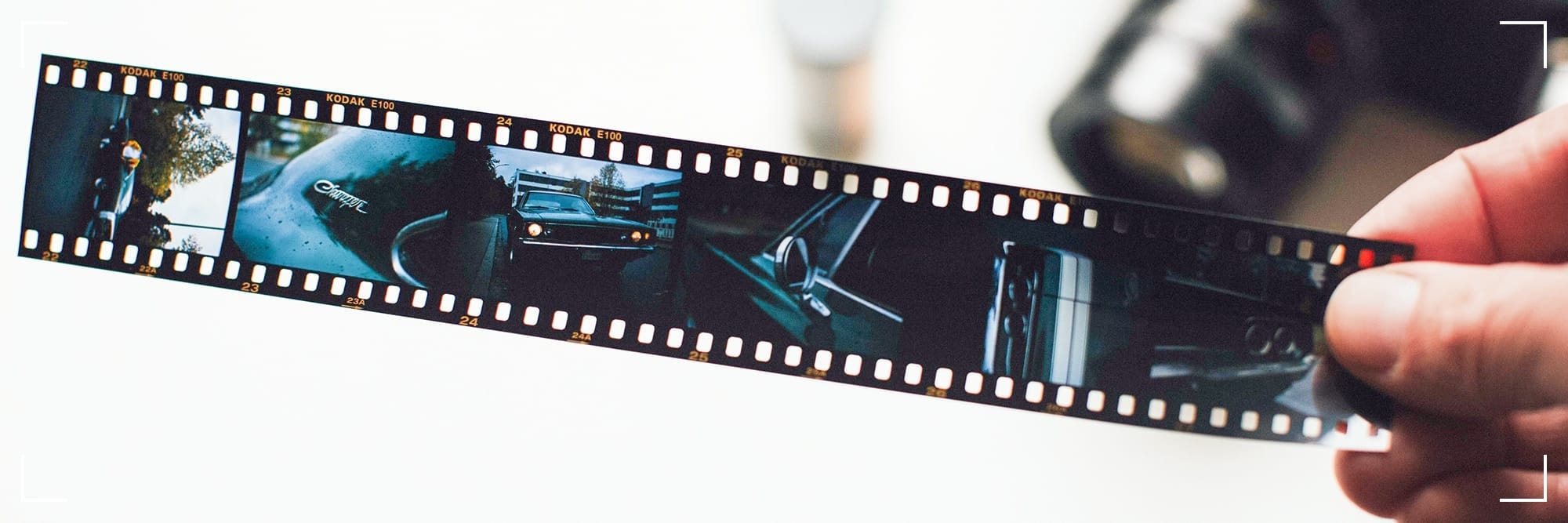
To scan 35mm film at home, you have several options depending on your budget, equipment availability and desired quality. Let's explore a couple.
Option 1: Using a Dedicated Film Scanner
Purchase A Dedicated Film Scanner:
Look for models in Epson's Perfection line (V600, V850) or Plustek's OpticFilm line (135i, 8200i). These scanners are designed specifically for film and offer high-quality scanning capabilities. They come with software that allows you to adjust settings such as contrast, brightness and saturation before scanning.
Set Up The Scanner:
Follow the manufacturer's instructions to set up your scanner. This typically involves installing the software and calibrating the scanner according to the manual.
Scan Your Film:
Place your film negatives in the scanner's film holder, aligning them correctly according to the scanner's instructions. Adjust the scanner's settings as needed to optimize the scan quality. Start the scanning process, and the software will capture the image and save it to your computer.
Option 2: Using a Digital SLR or Mirrorless Camera
Purchase A Digital Camera & Lens:
Select a mirrorless or DSLR camera with a high megapixel count (20+) capable of capturing the finest details of 35mm and 120 film. Also, make sure it has a Live Mode feature so that you can have an easier time with framing, focusing and exposing negatives. Sony's Alpha line is great due to factors like versatility and performance. Pair the camera with a 1:1 macro lens for close-up shots as this will ensure sharpness and retention of detail.
Setup & Preparation:
See to it that you have proper lighting conditions in order to avoid overexposure or underexposure of the film. You might need external lights and/or a controlled environment to achieve optimal results. Adjust your camera settings to match the lighting conditions and the type of film you are scanning. This may involve setting the ISO (<100), aperture (f/8-f/11) and shutter speed manually.
Scanning Process:
Since you're using a macro lens, manual focusing is crucial. Take care to compose shots carefully so that you are capturing entire frames clearly.
Post-Processing
Dust and/or scratches on the film may appear in the scanned images. Use software like Lightroom or Photoshop to clean up these imperfections. Depending on the film type and desired outcome, you may want to adjust color balance, contrast and saturation.
Software Options For Processing Scans
Silverfast:
Offers advanced features for adjusting and optimizing your scans.
Negative Lab Pro:
Specifically designed for processing film scans, Negative Lab Pro offers tools for correcting color, exposure and other aspects of your scans.
Considerations
Dedicated film scanners can be expensive but they offer the highest quality scans. Using a DSLR or mirrorless camera can be more cost-effective but it requires more effort and skill to achieve comparable results.
High-quality scans are crucial for preserving the details and colors in your film. Experiment with different settings and software to find what works best for you.
Scanning film at home can be time-consuming. However, it offers great control over the final output and can be a rewarding hobby for film enthusiasts.
Go preserve your memories!
Option 1: Using a Dedicated Film Scanner
Purchase A Dedicated Film Scanner:
Look for models in Epson's Perfection line (V600, V850) or Plustek's OpticFilm line (135i, 8200i). These scanners are designed specifically for film and offer high-quality scanning capabilities. They come with software that allows you to adjust settings such as contrast, brightness and saturation before scanning.
Set Up The Scanner:
Follow the manufacturer's instructions to set up your scanner. This typically involves installing the software and calibrating the scanner according to the manual.
Scan Your Film:
Place your film negatives in the scanner's film holder, aligning them correctly according to the scanner's instructions. Adjust the scanner's settings as needed to optimize the scan quality. Start the scanning process, and the software will capture the image and save it to your computer.
Option 2: Using a Digital SLR or Mirrorless Camera
Purchase A Digital Camera & Lens:
Select a mirrorless or DSLR camera with a high megapixel count (20+) capable of capturing the finest details of 35mm and 120 film. Also, make sure it has a Live Mode feature so that you can have an easier time with framing, focusing and exposing negatives. Sony's Alpha line is great due to factors like versatility and performance. Pair the camera with a 1:1 macro lens for close-up shots as this will ensure sharpness and retention of detail.
Setup & Preparation:
See to it that you have proper lighting conditions in order to avoid overexposure or underexposure of the film. You might need external lights and/or a controlled environment to achieve optimal results. Adjust your camera settings to match the lighting conditions and the type of film you are scanning. This may involve setting the ISO (<100), aperture (f/8-f/11) and shutter speed manually.
Scanning Process:
Since you're using a macro lens, manual focusing is crucial. Take care to compose shots carefully so that you are capturing entire frames clearly.
Post-Processing
Dust and/or scratches on the film may appear in the scanned images. Use software like Lightroom or Photoshop to clean up these imperfections. Depending on the film type and desired outcome, you may want to adjust color balance, contrast and saturation.
Software Options For Processing Scans
Silverfast:
Offers advanced features for adjusting and optimizing your scans.
Negative Lab Pro:
Specifically designed for processing film scans, Negative Lab Pro offers tools for correcting color, exposure and other aspects of your scans.
Considerations
Dedicated film scanners can be expensive but they offer the highest quality scans. Using a DSLR or mirrorless camera can be more cost-effective but it requires more effort and skill to achieve comparable results.
High-quality scans are crucial for preserving the details and colors in your film. Experiment with different settings and software to find what works best for you.
Scanning film at home can be time-consuming. However, it offers great control over the final output and can be a rewarding hobby for film enthusiasts.
Go preserve your memories!